
Sign in
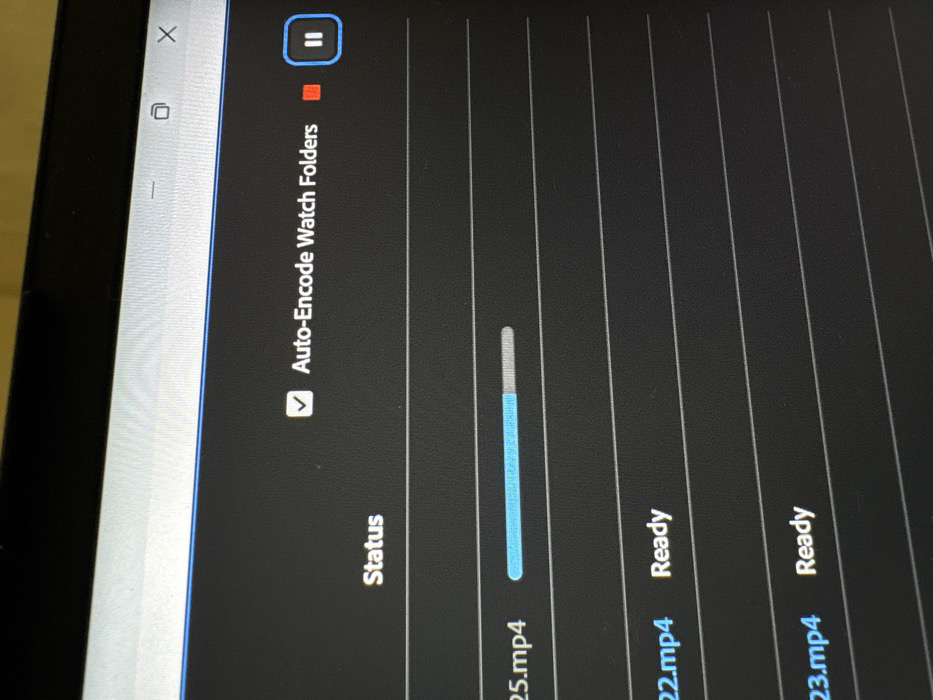
The image shows a screen displaying an "Auto-Encode Watch Folders" panel. The panel lists video files with their status. ".mp4" is actively encoding, indicated by a progress bar. ".mp4" and ".mp4" are marked as "Ready". A checkbox enables the "Auto-Encode Watch Folders" feature. Play and stop button are visible in the upper portion of the image.
monte_joy

Feb 23, 2026, 5:27 PM

Bar, Montenegro

Stake attention in this memory

screen
encoding
progress bar
video
digital device

The image shows a screen displaying an "Auto-Encode Watch Folders" panel. The panel lists video files with their status. ".mp4" is actively encoding, indicated by a progress bar. ".mp4" and ".mp4" are marked as "Ready". A checkbox enables the "Auto-Encode Watch Folders" feature. Play and stop button are visible in the upper portion of the image.

transactions
revenues
stakers
Earliest
Latest
Highest stake

No transactions found
More from this user

More from Bar

monte_joy

Feb 23, 2026, 5:27 PM

Bar, Montenegro

Licensed under Creative Commons Attribution 4.0 International License. You are free to share and adapt this content with proper attribution.