
Sign in
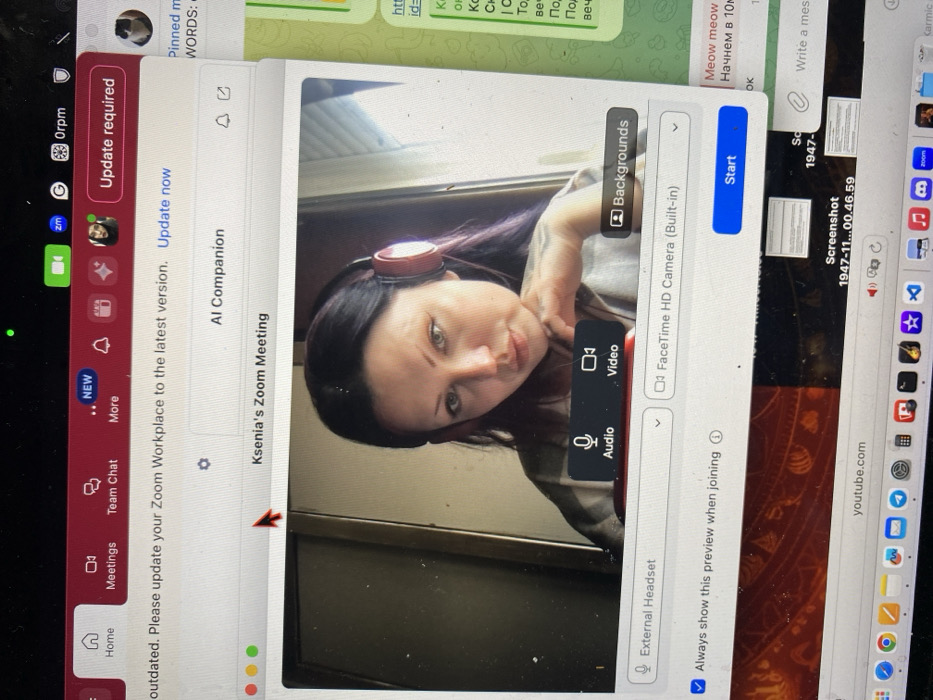
The image displays a laptop screen, rotated approximately 90 degrees clockwise, showing multiple open applications and desktop elements. The central and most prominent feature is a Zoom meeting preview window.

Within the Zoom window, a woman with dark hair and green eyes is visible, looking directly at the camera with a neutral to slightly smiling expression. She is wearing red over-ear headphones and has her left arm resting on something, with her hand near her chin. The background behind her appears to be an indoor setting, possibly a window or a plain wall.

Overlaying the video preview are Zoom interface controls. On the right side, there's a blue "Start" button. Above it, there are options for "Backgrounds," "FaceTime HD Camera (Built-in)" (currently selected), and an arrow for camera selection. Below the video preview, controls for "Audio" and "Video" are present, with "Video" appearing selected. Further down, there's a checkbox for "Always show this preview when joining" and an option for "External Headset." The title of this meeting is "Ksenia's Zoom Meeting."

To the left of the meeting preview, a sidebar for the Zoom application is visible, showing navigation options such as "Home," "Meetings," "Team Chat," and "More." A "NEW" notification is next to "More." "AI Companion" is also listed. A red banner at the top of this sidebar states, "Update required," with a message reading: "Your Zoom Workplace is outdated. Please update your Zoom Workplace to the latest version. Update now."

Other applications and desktop features are visible around the Zoom window:
*   At the top left of the screen (in the image's orientation), there's a time display "0rpm" (likely indicating "07pm" or a similar time format), followed by a Google search icon and a small Zoom icon.
*   On the right side, a chat application, likely Telegram, is partially visible. It shows some Russian text, including "Pinned WORDS:", and English text "Meow meow." Another line in Russian says "Начнем в 10м" (Let's start at 10m/10am/10pm).
*   Below the chat application, a browser or file explorer window displays file names, including "Screenshot 1947-11...00.46.59" and "youtube.com."
*   Along the bottom edge of the screen, a Mac OS dock is partially visible, showing icons for various applications such as Zoom, Safari, Messages, App Store, Settings, Mail, and others.

A red arrow-shaped mouse cursor is visible pointing towards the left edge of the Zoom meeting window. The laptop screen itself appears to have some minor dust or specks.
Buddha.rip

Feb 19, 2026

Kunje, Montenegro

Stake attention in this memory

computer screen
zoom meeting
software
user interface
technology

The image displays a laptop screen, rotated approximately 90 degrees clockwise, showing multiple open applications and desktop elements. The central and most prominent feature is a Zoom meeting preview window. Within the Zoom window, a woman with dark hair and green eyes is visible, looking directly at the camera with a neutral to slightly smiling expression. She is wearing red over-ear headphones and has her left arm resting on something, with her hand near her chin. The background behind her appears to be an indoor setting, possibly a window or a plain wall. Overlaying the video preview are Zoom interface controls. On the right side, there's a blue "Start" button. Above it, there are options for "Backgrounds," "FaceTime HD Camera (Built-in)" (currently selected), and an arrow for camera selection. Below the video preview, controls for "Audio" and "Video" are present, with "Video" appearing selected. Further down, there's a checkbox for "Always show this preview when joining" and an option for "External Headset." The title of this meeting is "Ksenia's Zoom Meeting." To the left of the meeting preview, a sidebar for the Zoom application is visible, showing navigation options such as "Home," "Meetings," "Team Chat," and "More." A "NEW" notification is next to "More." "AI Companion" is also listed. A red banner at the top of this sidebar states, "Update required," with a message reading: "Your Zoom Workplace is outdated. Please update your Zoom Workplace to the latest version. Update now." Other applications and desktop features are visible around the Zoom window: * At the top left of the screen (in the image's orientation), there's a time display "0rpm" (likely indicating "07pm" or a similar time format), followed by a Google search icon and a small Zoom icon. * On the right side, a chat application, likely Telegram, is partially visible. It shows some Russian text, including "Pinned WORDS:", and English text "Meow meow." Another line in Russian says "Начнем в 10м" (Let's start at 10m/10am/10pm). * Below the chat application, a browser or file explorer window displays file names, including "Screenshot 1947-11...00.46.59" and "youtube.com." * Along the bottom edge of the screen, a Mac OS dock is partially visible, showing icons for various applications such as Zoom, Safari, Messages, App Store, Settings, Mail, and others. A red arrow-shaped mouse cursor is visible pointing towards the left edge of the Zoom meeting window. The laptop screen itself appears to have some minor dust or specks.

transactions
revenues
stakers
Earliest
Latest
Highest stake

No transactions found

More from this user

More from Kunje

Buddha.rip

Feb 19, 2026

Kunje, Montenegro

Licensed under Creative Commons Attribution 4.0 International License. You are free to share and adapt this content with proper attribution.