
Stake attention in this memory
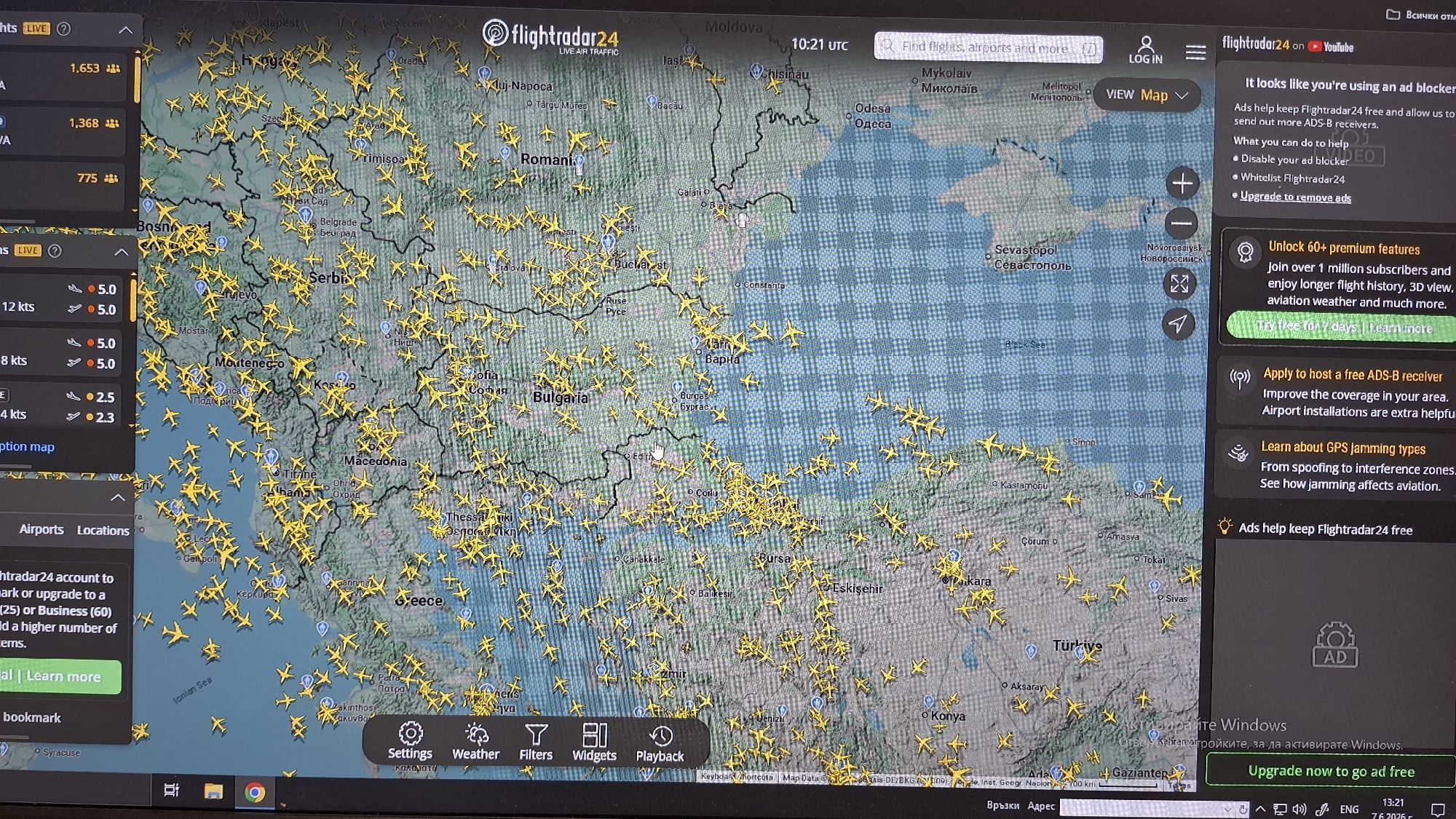
A photograph captures a computer monitor displaying the Flightradar24 website at 10:21 UTC, showcasing live air traffic over Southeastern Europe, the Balkans, and parts of Turkey and Ukraine. The primary subject is a geographical map with countries such as Romania, Serbia, Montenegro, Macedonia, Albania, Greece, Bulgaria, Turkey, Moldova, and parts of Ukraine prominently outlined. Bodies of water including the Black Sea and the Ionian Sea are also visible. Hundreds of small, yellow aircraft icons are densely scattered across the map, indicating active flights over these regions. Notable cities like Belgrade, Bucharest, Sofia, Skopje, Tirana, Athens, Istanbul, Ankara, Chisinau, Odesa, Sevastopol, and Novorossiysk are marked with their names. The Flightradar24 user interface features a top bar with the website logo, "LIVE AIR TRAFFIC," the current UTC time, and a search bar. A right sidebar displays several informational and promotional panels: a message indicating the use of an ad blocker, an offer to "Unlock 60+ premium features," an invitation to "Apply to host a free ADS-B receiver," information about "GPS jamming types," and an option to "Upgrade now to go ad free." A partially visible left sidebar shows flight statistics. A navigation bar at the bottom of the map contains buttons for "Settings," "Weather," "Filters," "Widgets," and "Playback." Below the Flightradar24 display, the Windows taskbar is visible, showing various application icons, including a minimized Google Chrome browser, and the system clock displaying 13:21 (likely local time). A faint "Activate Windows" watermark appears in the bottom right corner of the screen. The monitor exhibits some reflections and glare from the ambient environment.
Symbol
62895
Volume
16,780
Creator
+$0.04
Revenue
+$0.00
TVL
$4.05
Loading AttnAds…