Sign in
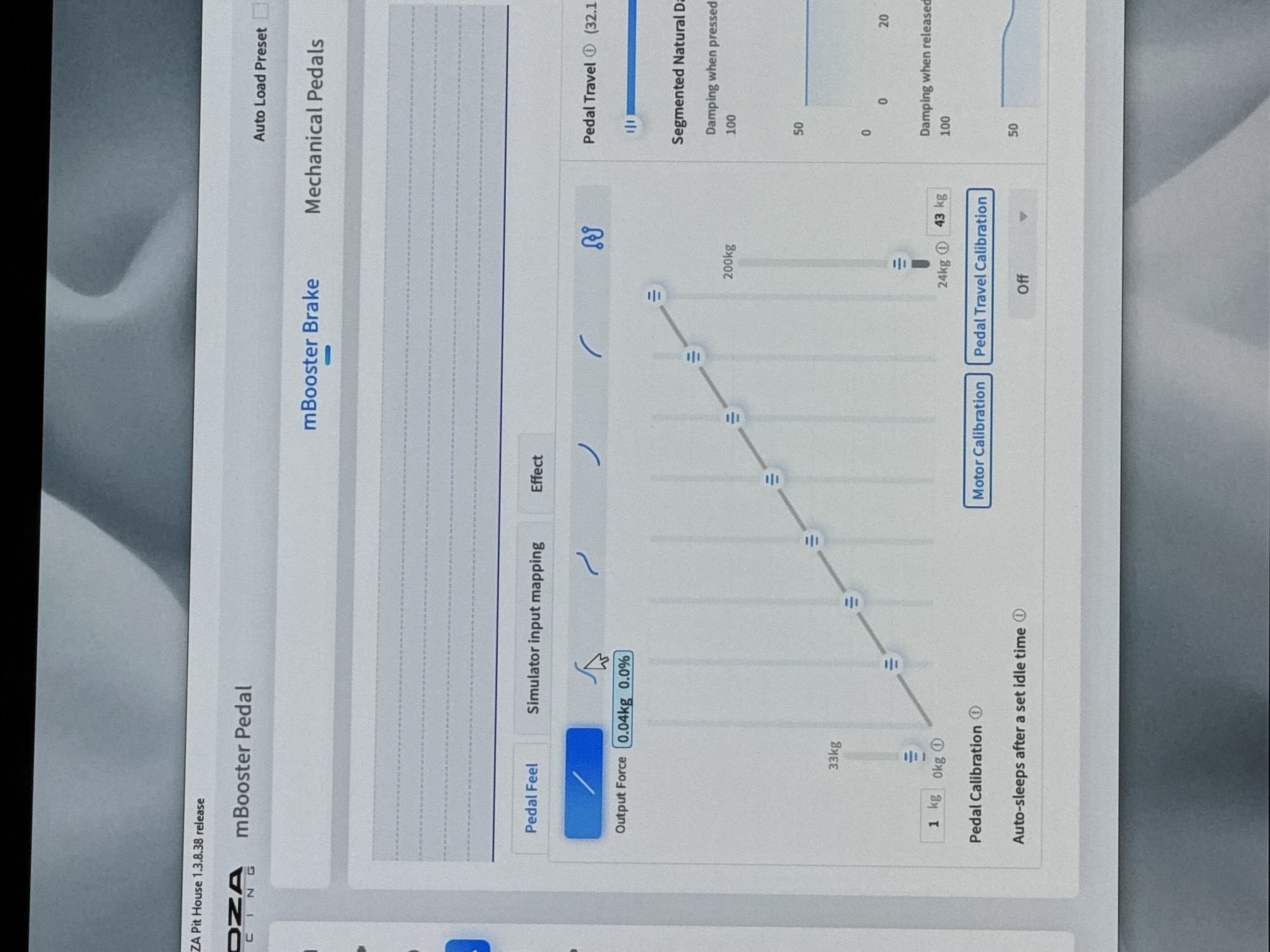
A slightly angled photograph captures a computer screen displaying a software interface identified as "MOZA Pit House 1.3.8.38 release." The main section of the interface is titled "mBooster Pedal," with "mBooster Brake" highlighted in blue, indicating it is currently selected, next to "Mechanical Pedals." An "Auto Load Preset" checkbox is visible in the top right.

Below the main title, three tabs are presented: "Pedal Feel," "Simulator input mapping," and "Effect." The "Pedal Feel" tab is active and highlighted in blue. Directly beneath these tabs, a row of five distinct curve shapes (representing different pedal feel profiles) is displayed, with the first, a straight diagonal line, highlighted in blue, and a hand cursor hovering over the second, a gentle S-curve.

Below these curve options, an "Output Force" readout shows "0.04kg 0.0%." The central and dominant feature of the screen is a grey graph with a series of vertical lines and a blue-and-grey diagonal line with multiple circular markers. These markers indicate specific points on the curve, with corresponding force values displayed nearby. From left to right along the diagonal line, values include "1 kg," "0kg" (with an 'i' icon), "33kg," and towards the upper right, "200kg." At the bottom right of this graph, "24kg" (with an 'i' icon) and "43 kg" are visible next to a vertical slider.

At the bottom left of the screen, settings for "Pedal Calibration" and "Auto-sleeps after a set idle time" (both with 'i' icons) are present. Two blue buttons, "Motor Calibration" and "Pedal Travel Calibration," are located below the graph. An "Off" dropdown menu is also visible.

On the right side of the interface, two vertical sections are dedicated to "Pedal Travel" (with an 'i' icon and "32.1" partially visible) and "Segmented Natural Damping." Under "Pedal Travel," a horizontal blue slider is shown. Under "Segmented Natural Damping," "Damping when pressed" is set to "100," and a small graph with a blue line is displayed. Below it, values "50" and "0" are visible on the vertical axis, and "0" and "20" on the horizontal axis. Another section, "Damping when released," shows a similar graph and the value "100" and "50" on the vertical axis.

The computer screen itself is set against a blurred background, suggesting an indoor environment, possibly a desk. No identifiable landmarks or information indicating the city of Riga, Latvia, are visible within the image.
F
FM-rTPRX2

Jun 6, 2026, 6:47 PM

Riga, Latvia

REMOVED

Stake attention in this memory

focused
technical
precise
analytical
calibrating

A slightly angled photograph captures a computer screen displaying a software interface identified as "MOZA Pit House 1.3.8.38 release." The main section of the interface is titled "mBooster Pedal," with "mBooster Brake" highlighted in blue, indicating it is currently selected, next to "Mechanical Pedals." An "Auto Load Preset" checkbox is visible in the top right. Below the main title, three tabs are presented: "Pedal Feel," "Simulator input mapping," and "Effect." The "Pedal Feel" tab is active and highlighted in blue. Directly beneath these tabs, a row of five distinct curve shapes (representing different pedal feel profiles) is displayed, with the first, a straight diagonal line, highlighted in blue, and a hand cursor hovering over the second, a gentle S-curve. Below these curve options, an "Output Force" readout shows "0.04kg 0.0%." The central and dominant feature of the screen is a grey graph with a series of vertical lines and a blue-and-grey diagonal line with multiple circular markers. These markers indicate specific points on the curve, with corresponding force values displayed nearby. From left to right along the diagonal line, values include "1 kg," "0kg" (with an 'i' icon), "33kg," and towards the upper right, "200kg." At the bottom right of this graph, "24kg" (with an 'i' icon) and "43 kg" are visible next to a vertical slider. At the bottom left of the screen, settings for "Pedal Calibration" and "Auto-sleeps after a set idle time" (both with 'i' icons) are present. Two blue buttons, "Motor Calibration" and "Pedal Travel Calibration," are located below the graph. An "Off" dropdown menu is also visible. On the right side of the interface, two vertical sections are dedicated to "Pedal Travel" (with an 'i' icon and "32.1" partially visible) and "Segmented Natural Damping." Under "Pedal Travel," a horizontal blue slider is shown. Under "Segmented Natural Damping," "Damping when pressed" is set to "100," and a small graph with a blue line is displayed. Below it, values "50" and "0" are visible on the vertical axis, and "0" and "20" on the horizontal axis. Another section, "Damping when released," shows a similar graph and the value "100" and "50" on the vertical axis. The computer screen itself is set against a blurred background, suggesting an indoor environment, possibly a desk. No identifiable landmarks or information indicating the city of Riga, Latvia, are visible within the image.

Loading AttnAds…

transactions
revenues
stakers
Earliest
Latest
Highest stake

No transactions found

More from this user

More from Riga

FFM-rTPRX2

Jun 6, 2026, 6:47 PM

Riga, Latvia

Licensed under Creative Commons Attribution 4.0 International License. You are free to share and adapt this content with proper attribution.