Stake attention in this memory
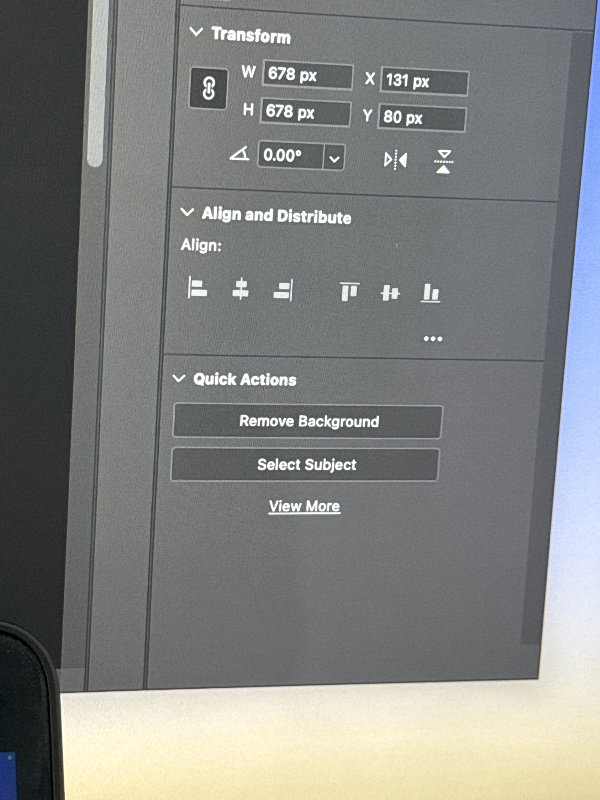
A photograph captures a computer screen displaying a dark-themed graphic design or image editing software interface. The screen shows three primary collapsible panels: "Transform," "Align and Distribute," and "Quick Actions." The "Transform" panel, located at the top, includes input fields for manipulating an object's size and position. "W" (Width) and "H" (Height) are both set to "678 px," with a chain-link icon indicating that aspect ratio might be locked. "X" and "Y" coordinates are displayed as "131 px" and "80 px" respectively. Below these, an angle input field shows "0.00°," suggesting no rotation has been applied. To the right of the rotation field, there are icons for horizontal and vertical flipping or mirroring. Below the "Transform" panel is the "Align and Distribute" panel, labeled "Align:". This section features a row of icons representing various alignment options, such as align left, center, right, top, middle, and bottom. An icon with three horizontal dots is visible on the far right, typically indicating "more options." The bottom visible panel is "Quick Actions," which contains two prominent buttons: "Remove Background" and "Select Subject." Below these buttons, a clickable link labeled "View More" suggests additional quick actions are available. The overall color scheme of the software interface is a professional dark grey. A vertical scrollbar is partially visible on the left side, indicating that there might be more panels or options below the current view. A small portion of an external object, likely a laptop or smartphone, is visible in the bottom-left corner of the image, slightly obscuring the screen. The right edge of the screen shows a subtle shift in color, hinting at a background beyond the software interface. The image appears to be a direct photograph of the screen, possibly taken with a mobile device.
Loading AttnAds…
No transactions found