
Sign in
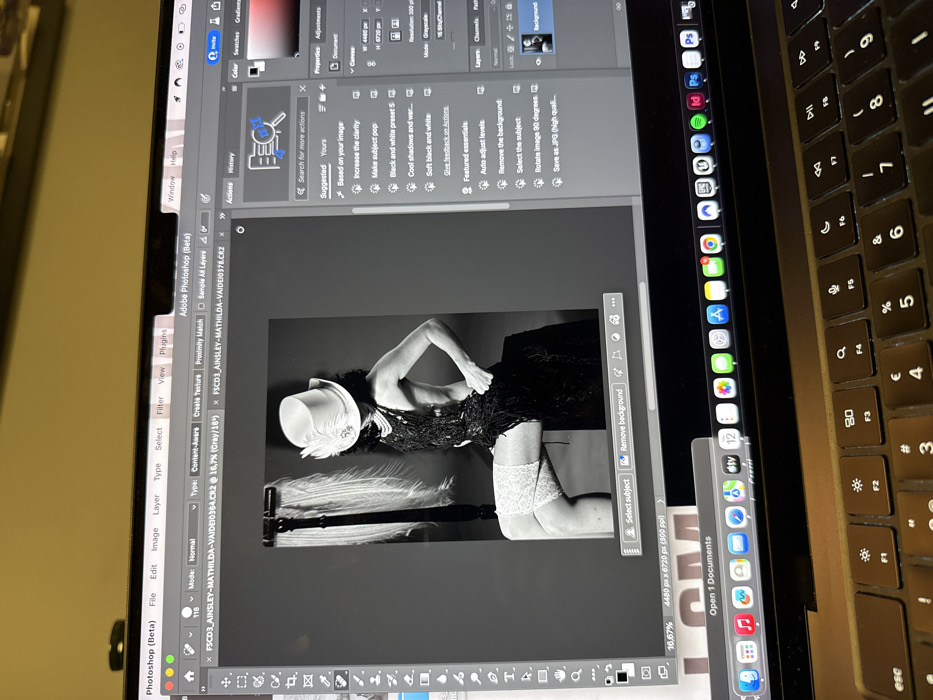
A laptop screen displays the Adobe Photoshop interface with two image files open. The primary focus is on a black and white photograph of a woman in a hat, feather boa, and stockings. She is positioned against a dark background. Editing tools and suggestions are visible on the right panel, including options like "Increase the clarity," "Black and white preset 5," and "Remove the background." The bottom of the screen reveals the image dimensions. The laptop's keyboard is partially visible on the right side.
matildamw

Feb 12, 2026, 8:23 PM

Paris, France

Stake attention in this memory

Photoshop
editing
black and white
model
laptop

A laptop screen displays the Adobe Photoshop interface with two image files open. The primary focus is on a black and white photograph of a woman in a hat, feather boa, and stockings. She is positioned against a dark background. Editing tools and suggestions are visible on the right panel, including options like "Increase the clarity," "Black and white preset 5," and "Remove the background." The bottom of the screen reveals the image dimensions. The laptop's keyboard is partially visible on the right side.

Loading AttnAds…

transactions
revenues
stakers
Earliest
Latest
Highest stake

No transactions found

More from this user

More from Paris

matildamw

Feb 12, 2026, 8:23 PM

Paris, France

Licensed under Creative Commons Attribution 4.0 International License. You are free to share and adapt this content with proper attribution.