
Stake attention in this memory
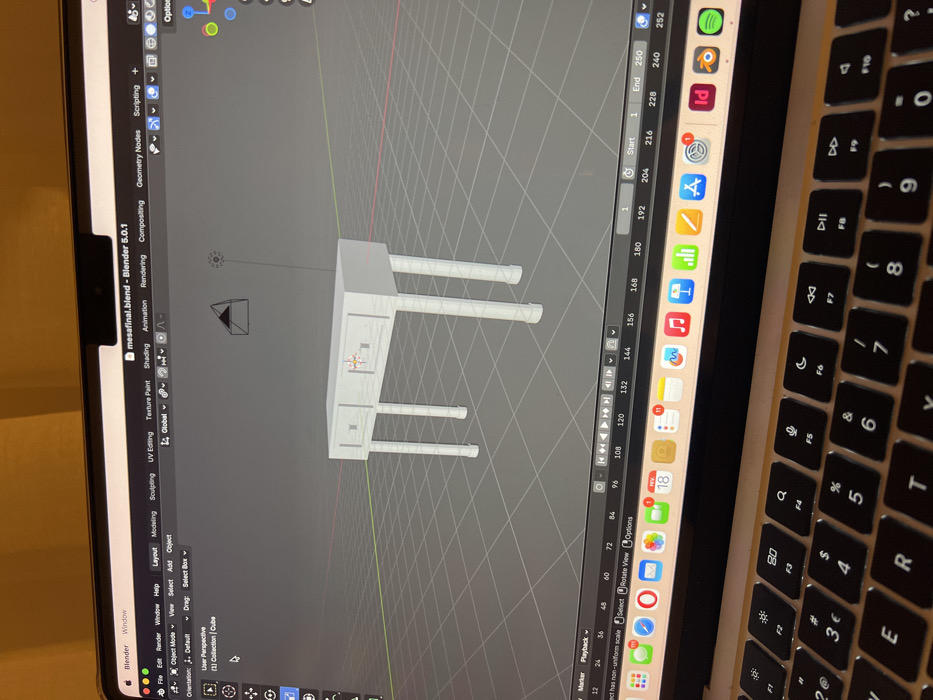
The image captures a close-up, slightly rotated view of a laptop screen displaying 3D modeling software, with a portion of the laptop's keyboard visible in the foreground. The screen shows the Blender 5.0.1 interface, identified by the title bar text "mesafinal.blend - Blender 5.0.1". The main viewport is set to a grey grid background, indicative of a 3D workspace. Centered in the viewport is a light grey or white 3D model of a desk or vanity. The model features a flat rectangular top surface, four cylindrical legs, and three rectangular drawers with small, square-shaped handles. A 3D cursor, a camera icon, and a light source icon are also visible within the viewport, which is in "User Perspective" view. Above the viewport, several tabs for different Blender workspaces are visible, including "Layout," "Modeling," "Sculpting," "UV Editing," "Texture Paint," "Shading," "Animation," "Rendering," "Compositing," "Geometry Nodes," and "Scripting." The active tab appears to be "Layout." To the left, a vertical panel displays Blender's menu bar with "Blender Window File Edit Render Window Help" and options like "Object Mode," "View," "Select," "Add," and "Object." Further down this panel, "Orientation: Default" and "Drag: Select Box" are visible. To the right of the viewport, a timeline or animation controls panel is displayed, with numbers ranging from "1" to "252," indicating frames. The "Start" and "End" frames are set to "1" and "250" respectively. Below this, various media playback controls are present. Along the right edge of the screen, a macOS dock or shelf is partially visible, showing a row of application icons. Identifiable icons include Spotify, a Safari browser icon, an App Store icon, a Settings icon (with a red notification badge), a Mail icon (with a red notification badge showing "18"), and a Calendar icon. Other icons are visible but less distinct. The foreground shows the top-right portion of a laptop keyboard, characteristic of a MacBook. Backlit keys are visible, including the function keys (F1 through F10), the number row (1 through 0), and parts of the QWERTY row (Q, W, E, R, T, Y) and the row below (A, S, D, F, G, H). The keyboard appears to be clean, and reflections are visible on some key surfaces. The image is oriented vertically, suggesting it was taken in portrait mode or rotated after capture, with the laptop's right side facing upwards.
No transactions found